

Opening the parameters panel
In the agent editor, click the Parameters button in the header bar. A panel appears below the header showing all defined parameters and controls to add new ones.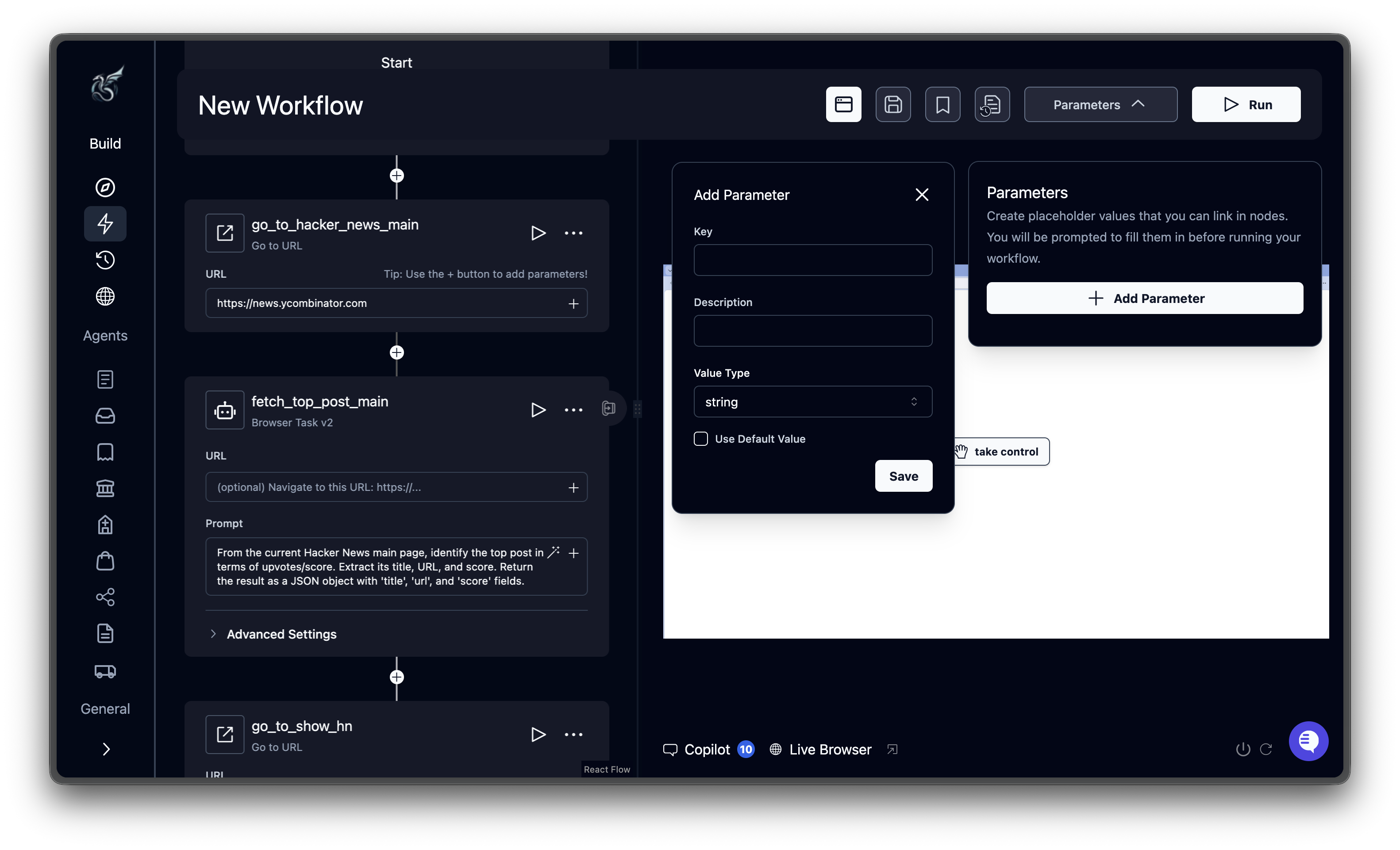
Adding a parameter
Click Add Parameter in the panel. Two types are available:
Each parameter requires a unique key. This is the name you use to reference it in blocks. Keys cannot contain spaces and cannot use reserved names.
You can also add an optional description (shown as help text when running) and a default value.
Parameter value types
Input parameters support these value types:Referencing parameters in blocks
Use Jinja2 double-brace syntax to reference parameters inside block fields like prompts, URLs, and data schemas. Basic reference:Credential parameters
Credential parameters securely inject login credentials into blocks without exposing them in prompts or logs.
When you add a credential parameter, you configure the source and connection details (collection ID, vault ID, etc.). At runtime, Skyvern fetches the real credentials from the vault and injects them into the agent. Credential values are masked in logs and outputs.
Output parameters
Every block automatically produces an output parameter containing its results. You can reference a previous block’s output in any downstream block. The syntax uses the block’s label (lowercased, spaces replaced with underscores) followed by_output:
Reserved variables
These variable names are built-in and cannot be used as parameter keys:
Example in a loop:
What’s next
Block Reference
Configuration fields for every block type
Run Your Agent
Execute agents and fill in parameter values