

Looking to use browser sessions from code? See the API & SDK guide instead.
The Browsers page
Click Browsers in the left sidebar to open the Browsers page. It lists all browser sessions in your organization.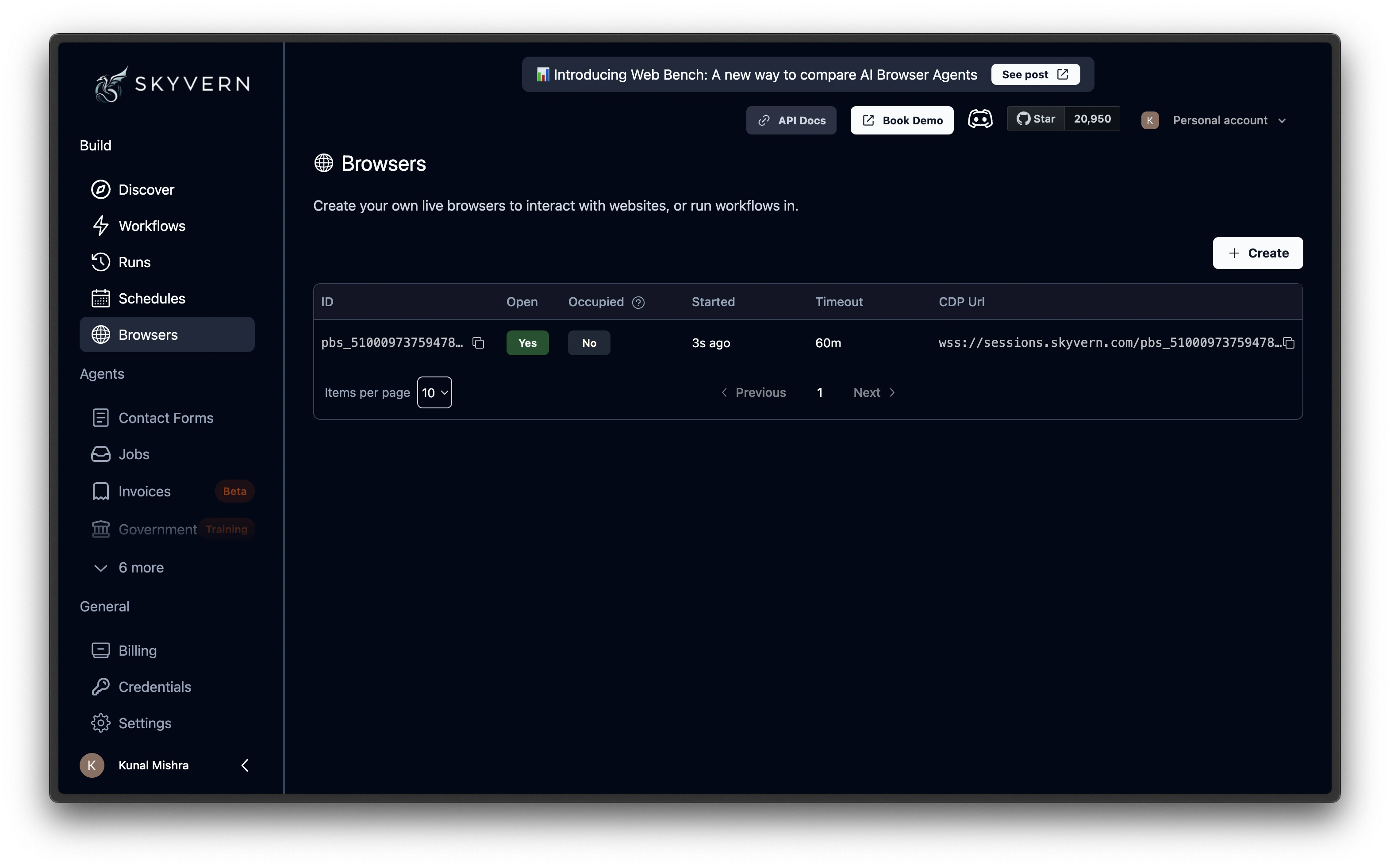
Creating a session
Click the Create Browser Session button at the top of the Browsers page. A panel opens with the following settings: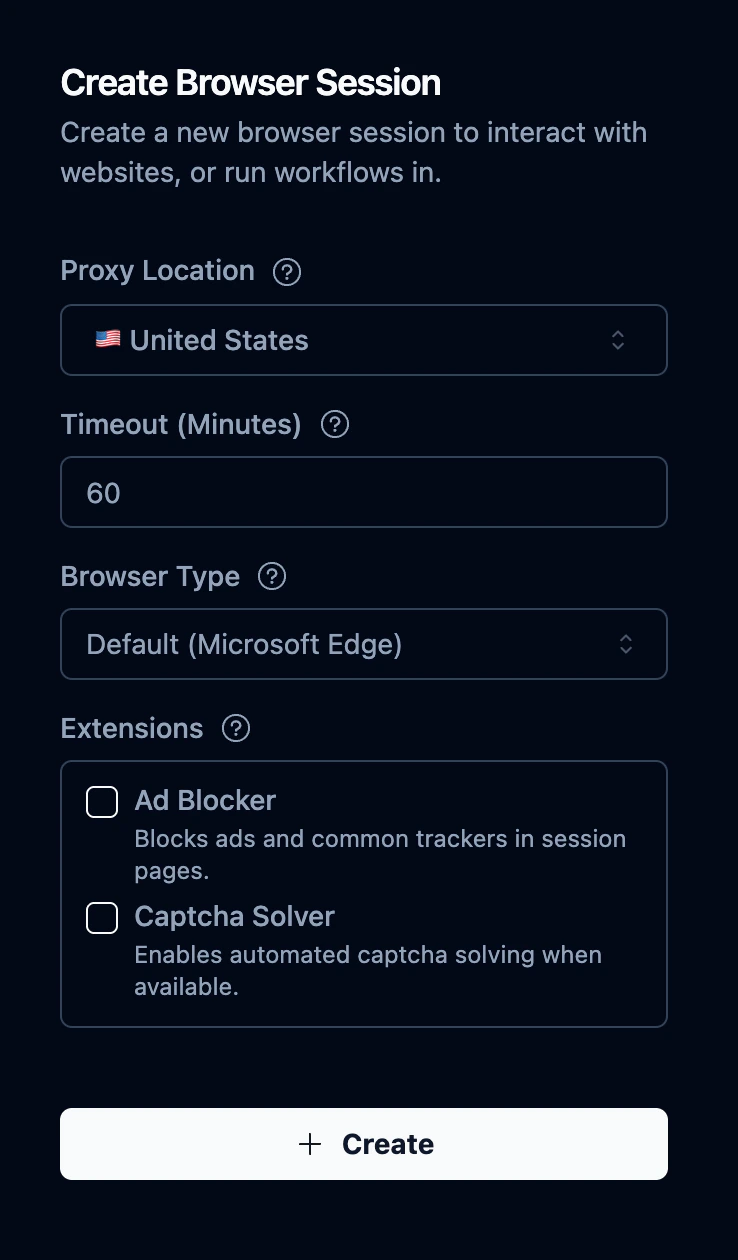
Click Create to launch the session. It appears in the table within a few seconds.
Viewing a live session
Click any session row in the table to open its detail page. The detail page has three tabs:Stream
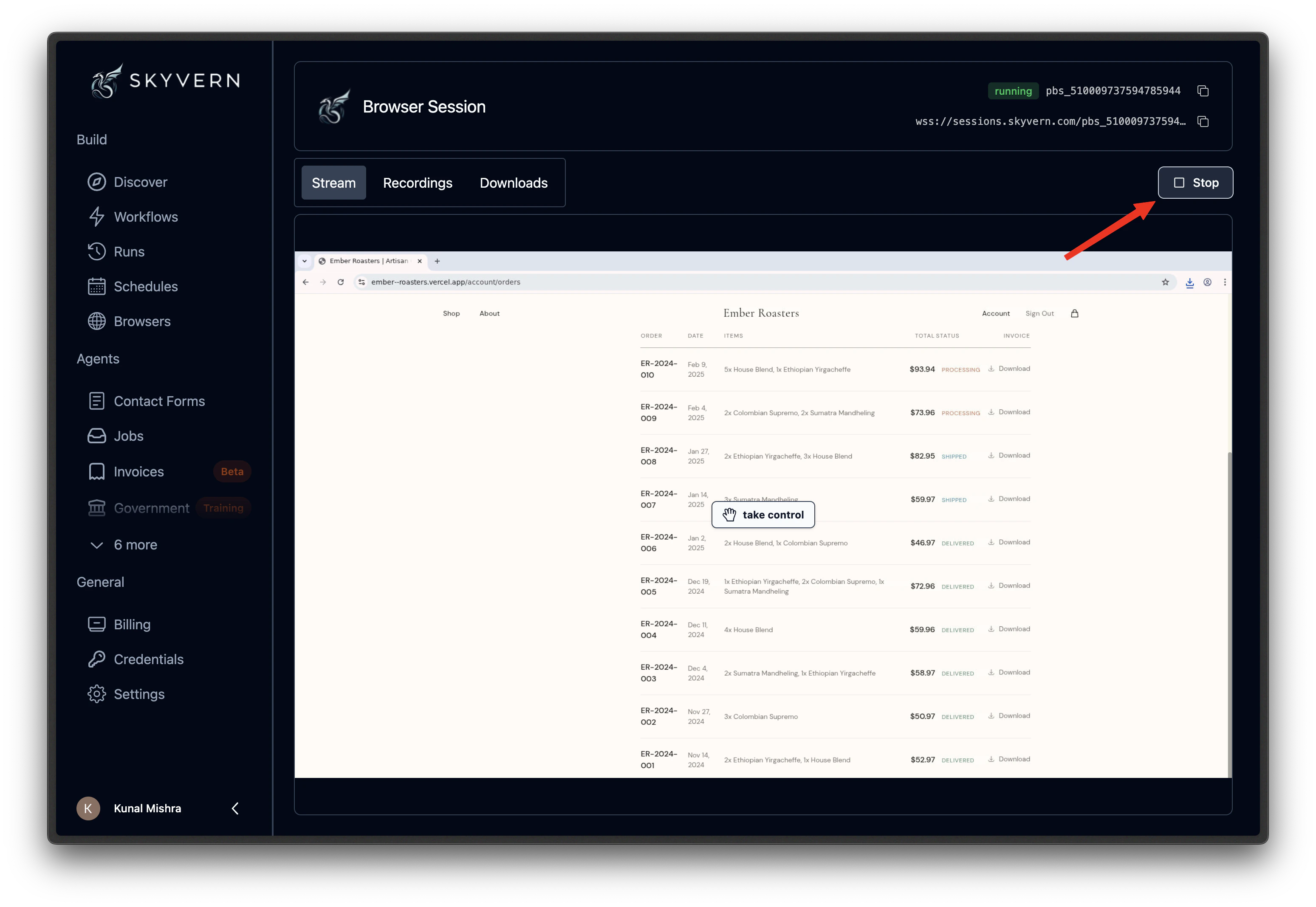
A live view of the browser. You can watch pages load and actions fire in real time. Click on Take Control to interact with the browser yourself. Use this to log in, dismiss a popup, solve a CAPTCHA.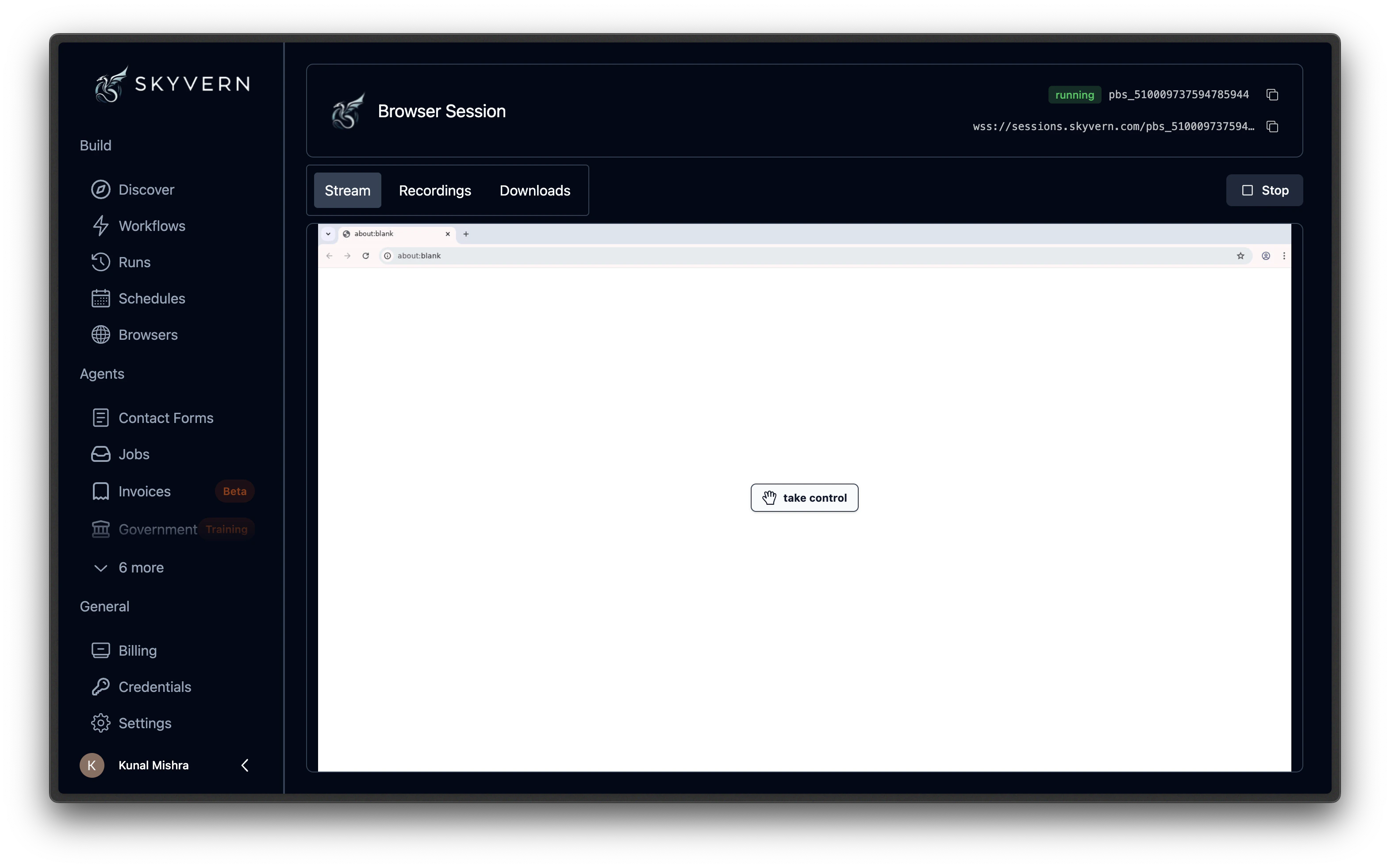
Recordings
Video recordings of activity in the session. Each recording captures what happened during a task or agent that ran inside this session.Downloads
Files downloaded by the browser during the session. Click any file to save it locally.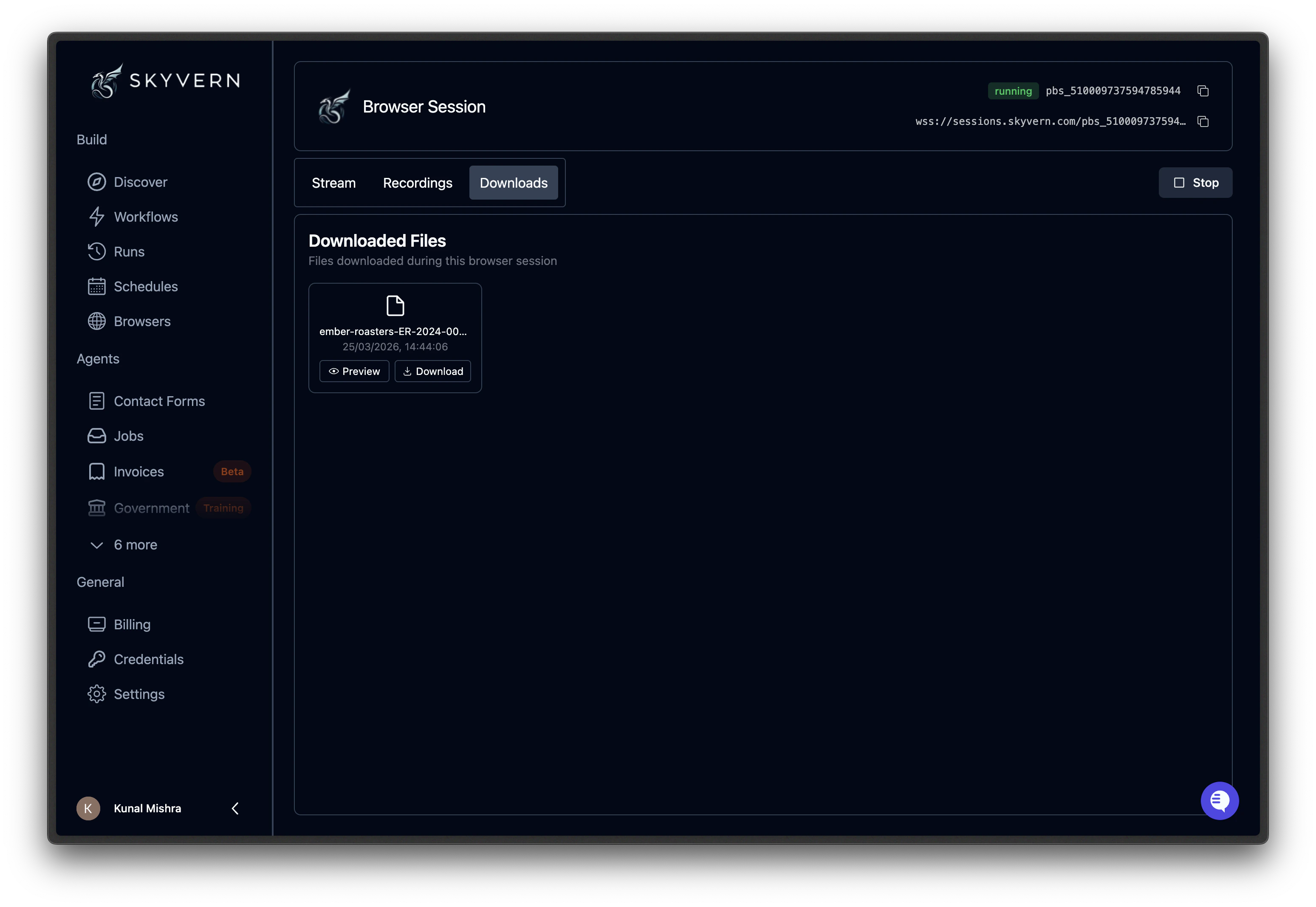
Using a session with a task
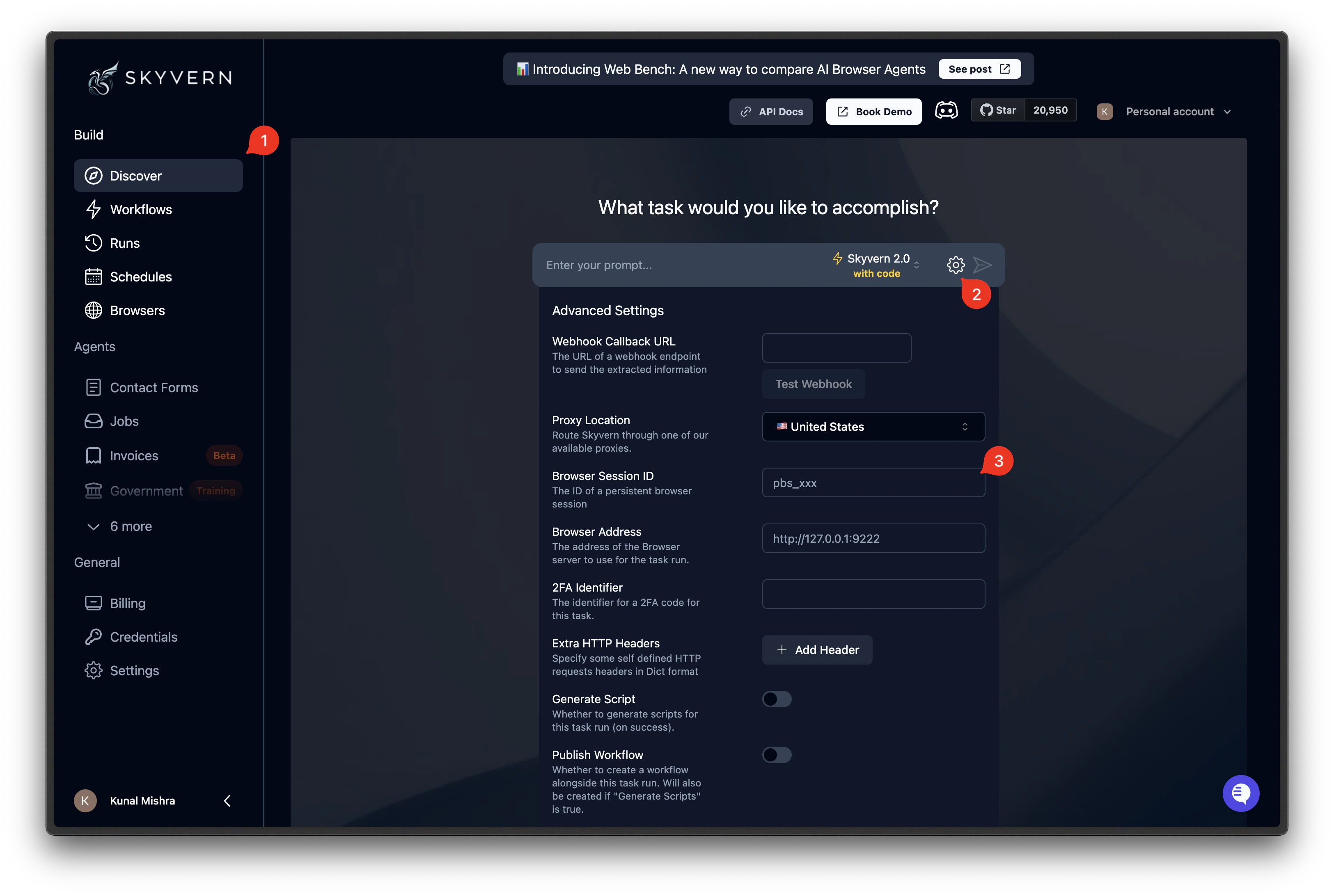
Once you have a running session, you can run tasks inside it from the Discover page:- Copy the session ID (
pbs_...) from the Browsers page - Go to the Discover page
- Click the gear icon to open Advanced Settings
- Paste the ID into the Browser Session ID field
- Write your prompt and run
Using a session with an agent
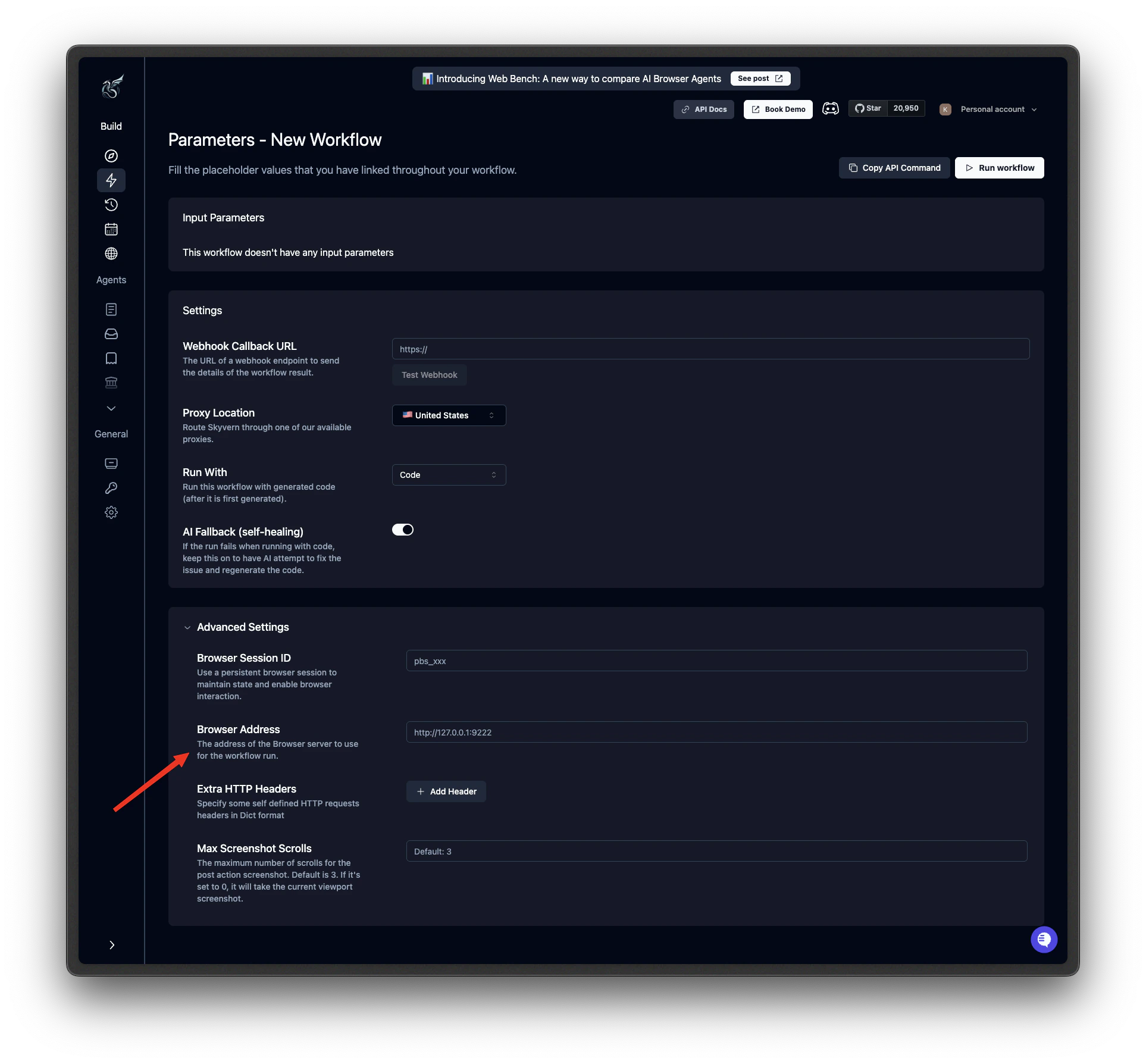
You can also run agents inside an existing session:- Copy the session ID from the Browsers page
- Go to Agents and click Run on your agent
- On the parameters page, scroll to Run Settings
- Paste the ID into the Browser Session ID field
- Click Run Agent
Closing a session
From the session detail page, click Stop. A confirmation dialog appears. The browser shuts down immediately and the session moves toclosed status.
When to use sessions vs agents
If your steps run back-to-back with no pauses between them, an agent is more efficient. Agent blocks share one browser instance with no inter-step startup cost. Sessions are the right choice when you need:- Pauses between steps: review results, get approval, or wait for external input before continuing
- Human-in-the-loop: interact with the browser yourself between automated steps
- Ad-hoc sequences: run different tasks one after another without pre-building an agent
Sessions vs profiles
What’s next
Browser Profiles
Save login state and reuse it across sessions
Browser Sessions (API)
Create and manage sessions programmatically