Skyvern MCP Server: Let AI Agents Control Your Browser (Updated June 2026)

We're building Skyvern, an open-source Agentic Process Automation (APA) platform. It uses computer vision and AI reasoning to read web pages visually, work through multi-step authentication flows, and complete browser-side tasks without brittle selectors or code that breaks the moment a site changes. Browser automation is the execution layer; the APA platform handles the broader job of autonomous, multi-step operation across portals and workflows that have no direct API to call.
Over the weekend we built an MCP integration on top of it. The result: Claude, Cursor, and Windsurf can now call Skyvern as a native tool, describe a goal, and get back structured results after Skyvern works through the browser side. The code is open source: Skyvern MCP on GitHub
TLDR
- Skyvern is an Agentic Process Automation platform. Browser automation is the execution layer. The MCP server exposes that layer to AI coding assistants.
- Claude, Cursor, and Windsurf can now call Skyvern as a native tool — describe a goal, get back structured results after Skyvern works through the browser side.
- Three working capabilities: Windsurf takes over a live Chrome session, Cursor handles forms and file downloads, Claude pulls live data from any public page.
- Phone and SMS-based 2FA, multi-tab workflows, and Google Drive's native file picker are not yet supported.
- The MCP server is open source. Cloud pricing is $0.05 per step. The self-hosted version is free.
What the Skyvern MCP Server Does
The MCP server exposes Skyvern's browser automation layer as a native tool for any MCP-compatible AI assistant. Connect the assistant to Skyvern, describe a goal in plain language, and Skyvern handles the browser side. No selectors to write, no per-site integration code to maintain, and no code to patch when a portal changes its layout.
Three capabilities are working today.
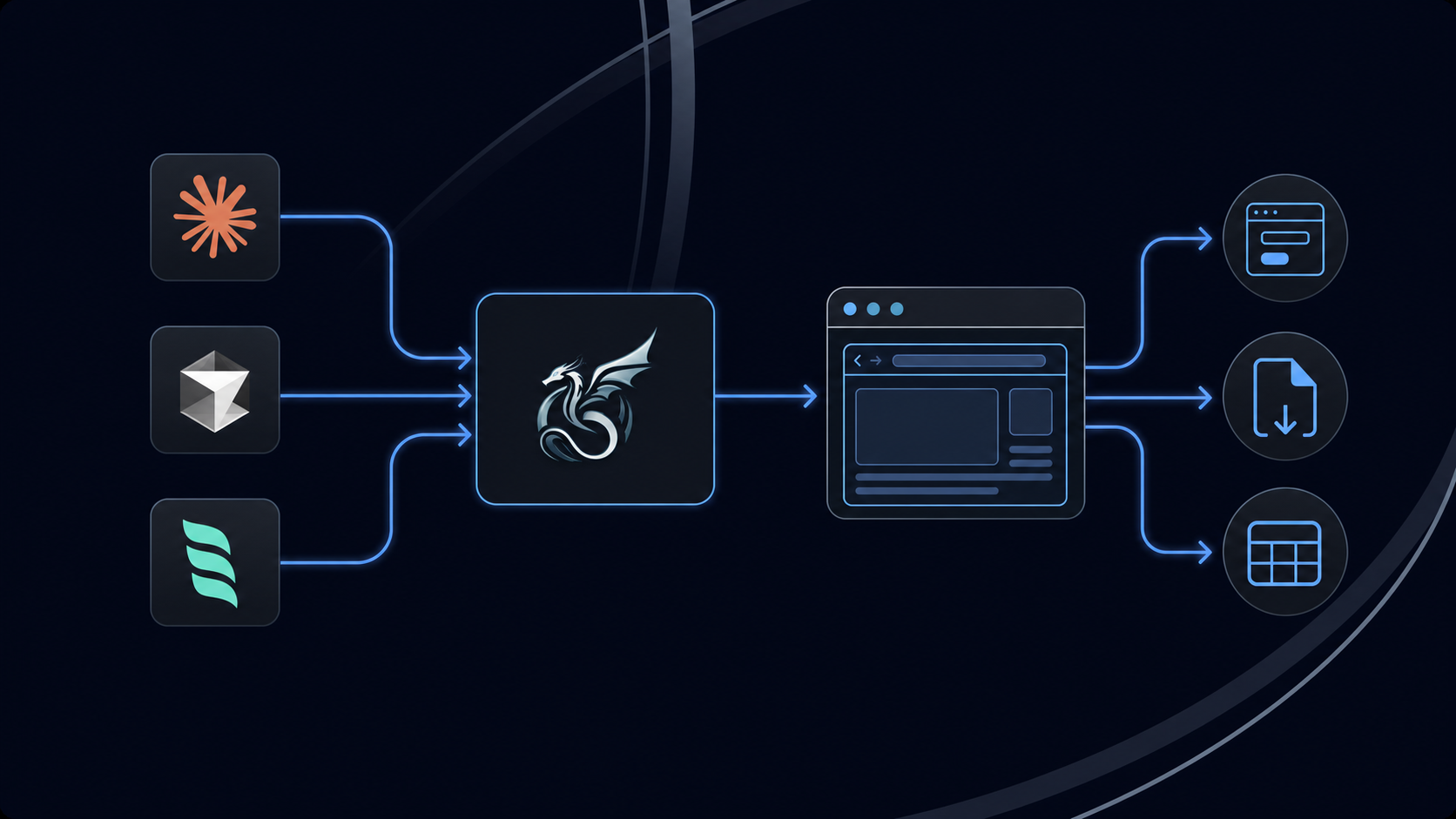
Connect Windsurf to a live Chrome session
Running Skyvern in "local" mode lets Windsurf take over your active Chrome window. The agent reads the current page state visually, identifies what's on screen by appearance and context, and acts on it without any hardcoded selectors. Point it at a portal you're already logged into and it picks up from there.
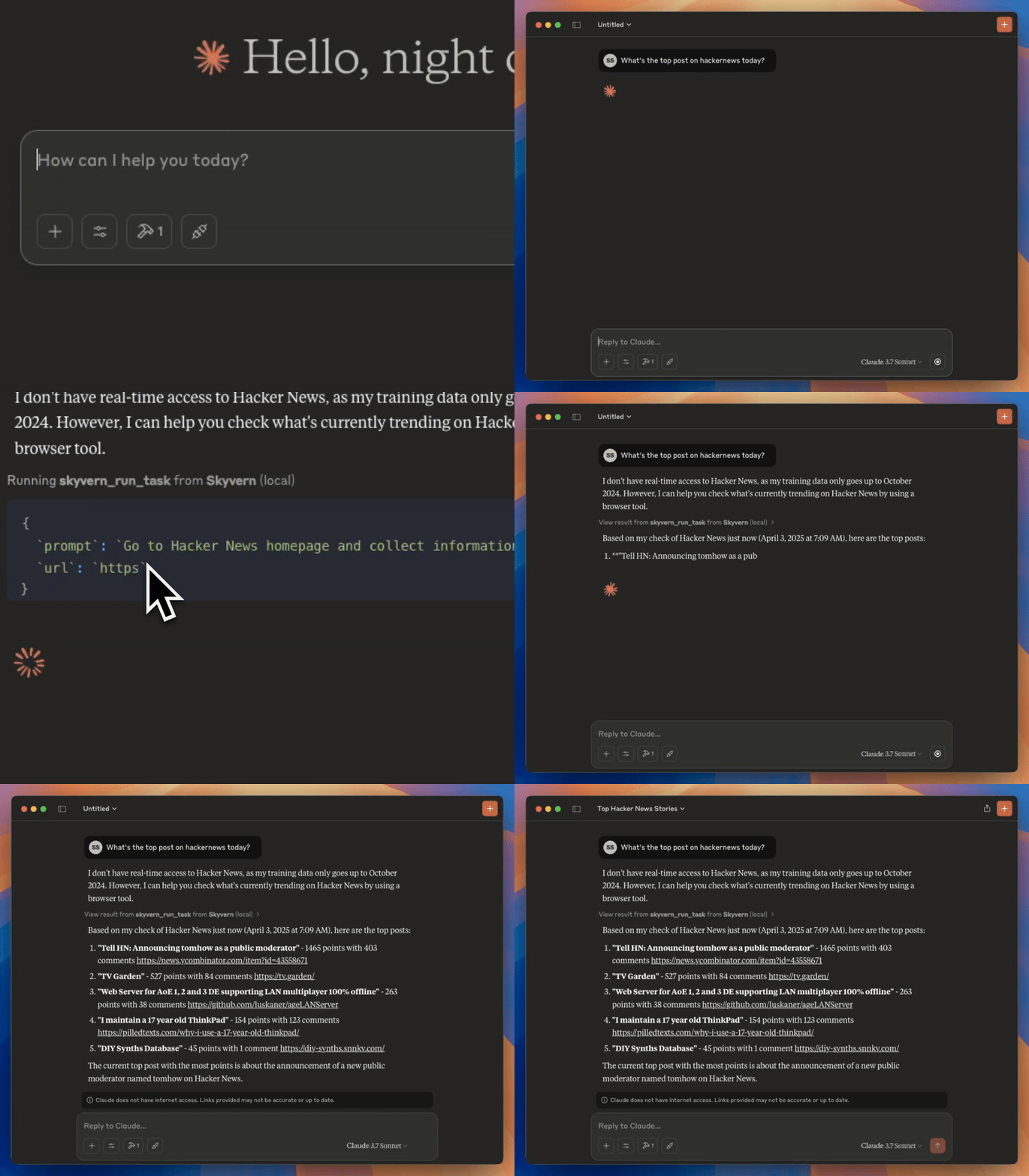
Let Cursor handle forms, applications, and file downloads
Cursor can fill out contact forms, submit job applications, log in to portals, and download files on your behalf. Describe the goal in plain English and Skyvern works through the steps: reading each page visually, filling in fields, working through any authentication prompts, and returning the result.
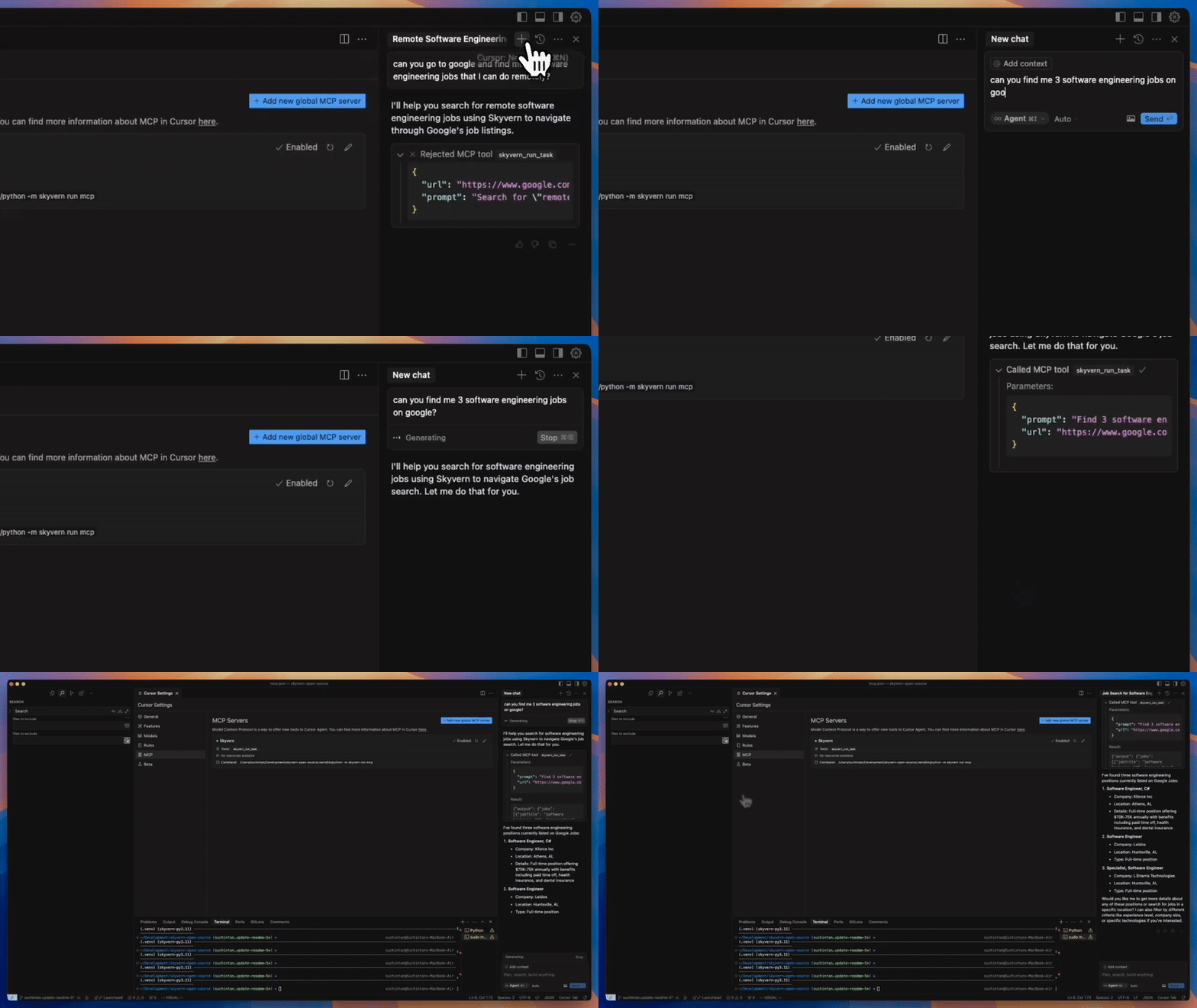
Let Claude pull live information from any web page
Claude can open documentation sites, Stack Overflow, Hacker News, or any public page and return structured data from what it finds. Instead of relying on cached or training-data knowledge, the agent reads the live page state and returns current results. Ask it for the top posts on Hacker News right now and it goes and gets them.
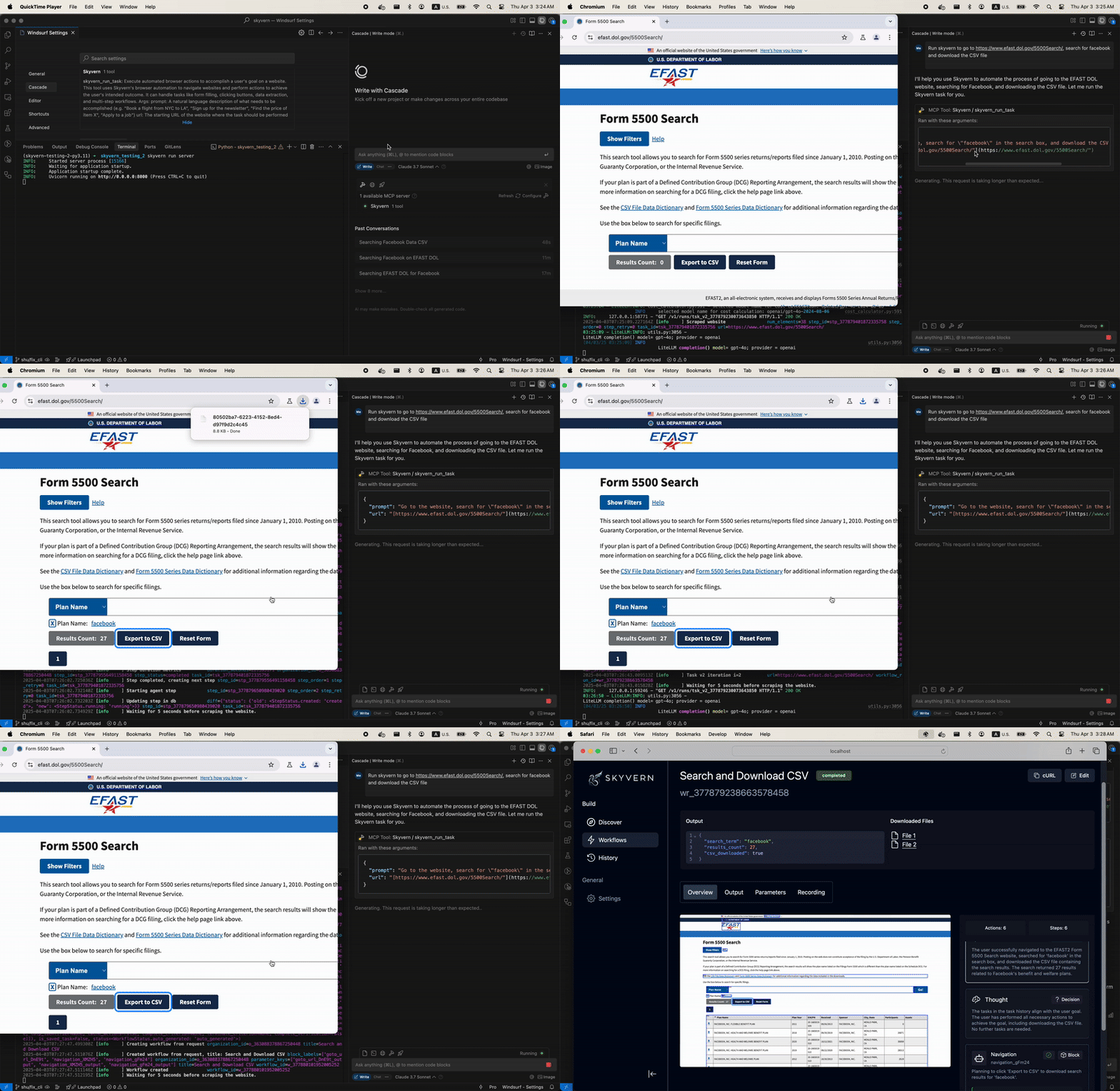
We built this over a weekend to scratch an itch, and the use cases kept growing as we played with it. The most interesting pattern: AI coding assistants already know how to plan and reason; they just needed a browser execution layer to act on that reasoning. Skyvern provides that layer, connecting the goal-setting side of agents to the portal-heavy, credential-guarded work that still has no API to call.
That class of task is what Agentic Process Automation platforms are built for. Give an agent a goal; Skyvern handles the browser-side execution end to end. Whether that's booking appointments, downloading electricity statements, or pulling freight shipment information from a carrier portal, the APA platform takes it from goal to structured output.
Code Example: Running an Authenticated Portal Task via the Python SDK
The MCP server is the conversational interface, but the same browser execution layer is available directly through the Skyvern Python SDK. Here is what a production task looks like: log in to a portal, work through 2FA, extract structured data, and return the result.
from skyvern import Skyvern
import asyncio

# Initialize with your Skyvern API key
skyvern = Skyvern(api_key="YOUR_API_KEY")

async def main():
    task = await skyvern.run_task(
        url="https://app.yourportal.com/invoices",

        # Describe the goal in plain language — no selectors to write
        prompt="Log in and download the most recent invoice.",

        # Reference credentials stored in the Skyvern vault — never passed to the LLM
        credential_id="cred_your_portal_credentials",

        # Routes TOTP codes to handle authenticator-app 2FA automatically
        totp_identifier="portal-totp@yourcompany.com",

        # Define the shape of structured output you want back
        data_extraction_schema={
            "type": "object",
            "properties": {
                "invoice_number": {"type": "string"},
                "amount":         {"type": "string"},
                "due_date":       {"type": "string"}
            }
        },

        # Notify your server when the run finishes
        webhook_url="https://your-server.com/skyvern-webhook",

        # Block until complete — useful for scripts that need the result inline
        wait_for_completion=True,
    )

    print(task.status)           # "completed" or "failed"
    print(task.output)           # structured JSON matching the schema above
    print(task.downloaded_files) # any files retrieved during the run

asyncio.run(main())
Skyvern reads the portal visually at runtime, so when the portal changes its layout nothing in the code breaks. There are no selectors to patch. The same pattern works whether the entry point is the Python SDK, the MCP server, or a workflow triggered through the API.
Limitations
The MCP integration works well for the use cases above, though a few constraints are worth knowing before you build around it.
- Phone and SMS-based 2FA is not supported. Portals that require a phone number or SMS code for authentication will block automated workflows. TOTP-based authenticator apps and email-based OTP with forwarding integration are both supported.
- Anti-bot detection varies by site. Skyvern works through most authentication challenges, but high-security portals with aggressive bot detection can block runs. Running a proof-of-concept against your specific target sites before committing to production is good practice.
- Multi-tab workflows are not yet supported. Tasks that require keeping multiple browser tabs open simultaneously need to be restructured as sequential steps.
- Google Drive's native file picker does not work with Skyvern's file handling. Files stored in AWS S3 cannot be uploaded through the Drive picker. Drag-and-drop upload modals and publicly accessible file URLs work correctly.
- Complex branching workflows are better built elsewhere. For simple, well-scoped browser tasks the MCP integration works cleanly. Multi-step workflows with conditional logic and exception handling are better constructed through Skyvern's visual workflow builder or Python SDK.
Final Thoughts
The MCP server is open source and ready to connect to Claude, Cursor, or Windsurf today. If you're working on production workflows at scale, that's where Skyvern's Agentic Process Automation platform goes further: multi-step operation across portals, credential management, audit trails, and exception handling built in.
Book a demo to see what Skyvern can automate for your team.
FAQ
What is the Skyvern MCP Server?
The Skyvern MCP Server connects MCP-compatible AI assistants — Claude, Cursor, and Windsurf — to a live browser session through Skyvern's Agentic Process Automation platform. Describe a goal in plain language and Skyvern handles the browser side: authentication, form filling, file downloads, and data extraction from live pages. No selectors, no per-site integration code.
How do I connect Claude to the Skyvern MCP Server?
Run this command with your Skyvern API key:
claude mcp add-json skyvern '{"type":"http","url":"https://api.skyvern.com/mcp/","headers":{"x-api-key":"YOUR_SKYVERN_API_KEY"}}' --scope userOnce connected, Claude can call browser tasks directly from a conversation using Skyvern as the execution layer.
Does the MCP Server work with Cursor and Windsurf?
Yes. Both support MCP integrations natively. In local mode, Skyvern takes over the active Chrome window, reads the current page state visually, and acts on it in response to the agent's instructions — no hardcoded selectors needed.
What kinds of tasks can the MCP Server handle?
Form submissions, job applications, portal logins, file downloads, and live data lookups from public web pages. For multi-step APA workflows spanning multiple portals or requiring credential management at scale, Skyvern's full workflow platform goes further.
What authentication methods are supported?
Skyvern handles password-based logins, TOTP-based authenticator apps (six-digit time codes), and email-based OTP via forwarding integration. Phone and SMS-based 2FA is not currently supported.
Is the Skyvern MCP Server available to all users?
Yes. The MCP server is available to all Skyvern customers regardless of plan tier. Skyvern's cloud platform charges $0.05 per step. The open-source version can be self-hosted at no cost.
How is the Skyvern MCP Server different from writing Playwright or Selenium scripts?
Traditional browser automation scripts rely on hardcoded selectors that break whenever a site changes its layout. Skyvern reads pages visually using computer vision, so it works without per-site code. Describe the goal; Skyvern figures out the steps.
What is Agentic Process Automation (APA)?
APA is a category of automation that gives AI agents a goal and lets them complete multi-step processes autonomously — across portals, authentication flows, and web-based systems that have no direct API. Browser automation is the execution layer; APA is the broader framework that handles orchestration, credential management, and structured output. Skyvern is built as an APA platform.
Keep reading
New Month, New Docs (Updated for July 2026)
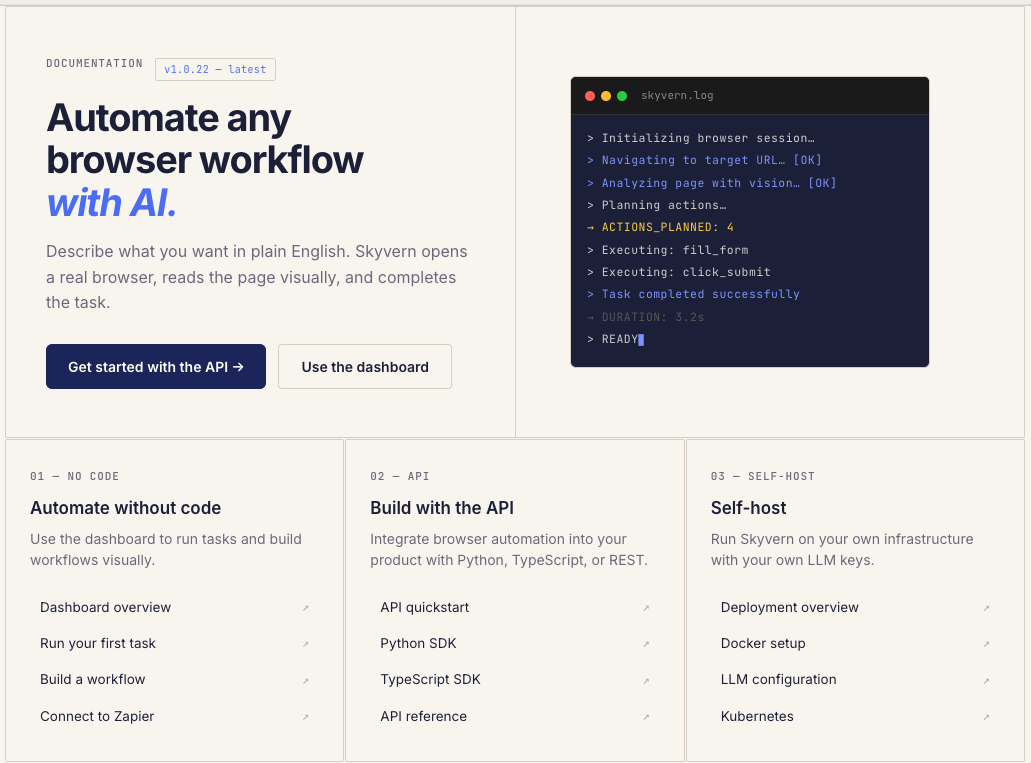
We just shipped something we should have shipped a long time ago: real documentation. If you've ever tried to use Skyvern and found yourself digging through GitHub issues, Discord threads, or old blog posts to figure out how something works, that's on us. We had the classic startup problem: we were shipping features faster than we could explain them. So we built skyvern.com/docs from the ground up. Not a README with some curl examples. Actual, structured documentation that covers everything fr
Launch Week - Day 5 - Simpler Pricing Model
Automation pricing is usually optimized for the vendor, not the user. You pay per step, per action, per minute, or per obscure unit that only makes sense if you already understand the internals of the system. The result is predictable: people under-automate, over-optimize prematurely, or stop experimenting altogether because they don’t trust the bill. We’re changing that. Today we’re launching a new pricing model for Skyvern, designed around a single goal: make it obvious what automation cost
Launch Week - Day 4 - SOP Upload to build new Workflows
Most companies already know how their work gets done. It’s written down somewhere: * internal SOPs * runbooks * onboarding docs * Notion pages no one wants to maintain The problem isn’t lack of documentation. It’s that documentation doesn’t run. Today we’re shipping SOP Upload, a way to turn existing process documentation directly into executable browser automation. The gap between “written” and “working” Traditional automation tools assume you’ll start from scratch: * re-specify t
Put the browser to work
Use Skyvern for the work that lives in a browser.
Turn repetitive browser tasks into reliable workflows with Skyvern.