Getting Claude to QA Its Own Frontend Work | Updated July 2026

Just a brief recap: people use Skyvern to automate the repetitive browser work nobody wants to do: pulling invoices from vendor portals, filling out healthcare forms, extracting data from sites that don’t have APIs. You can try it out here: https://github.com/Skyvern-AI/Skyvern
We’ve been using Claude code a lot and kept running into the same failure mode: the code looks kinda right, type checks pass, but when you go to test the changes, something’s off: button doesn’t fire, form overflows or the UI is inconsistent in some small but obvious way. After going back and forth a few times.. it finally works, but it feels wrong to do the QA yourself.
So.. we started wondering: can we use Skyvern to automate the QA process?
TLDR:
- Classify your git diff as Frontend, Backend, or Mixed first; that classification decides whether a browser opens at all, cutting runtime to under 90 seconds for focused frontend changes.
- Diff-scoped test plans generated fresh on each run replace selector maintenance entirely, so a button that moves or gets renamed stays findable without updating any test file.
- Failure reasons are specific enough to act on without reproducing locally: "z-index: 0 rule placed the error container behind the modal overlay at viewports above 1024px," not "button click failed."
- Run
/smoke-teston every PR as the fast first layer, but keep a scheduled full-suite regression run beneath it; diff-scoped testing covers the change surface, not the whole application. - Skyvern's MCP server reads pages visually at runtime instead of matching recorded selectors, so the same 33 browser tools work against React, Vue, Angular, and server-side HTML with no framework-specific setup.
What Does Claude QA Automated with Skyvern Look Like?
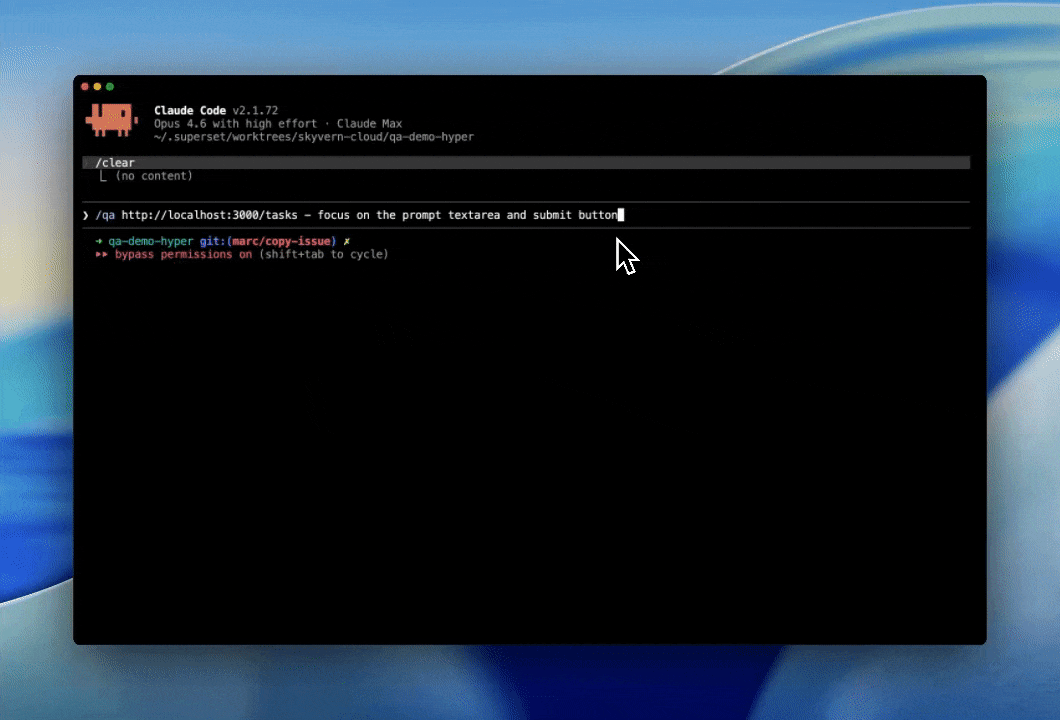
We wrapped that into /qa (local) and /smoke-test (CI) skills you can try right now:
pip install skyvern
skyvern setup claude-code

# or if you're using other coding agents

skyvern setup
It reads your git diff, generates test cases, opens a browser, runs them, and gives you a PASS/FAIL table. The whole prompt is ~700 lines and open source: https://github.com/Skyvern-AI/skyvern/blob/main/skyvern/cli/skills/qa/SKILL.md
Code Example: Triggering a QA Run via the Python SDK
If you want to call the QA loop programmatically, from a script, a GitHub Action, or your own orchestration layer, you can drive it through the Skyvern API directly. The example below points a task at a local dev server, describes the QA goal in plain language, and asks for a structured pass/fail result back:
import requests

SKYVERN_API_KEY = "your_api_key"
BASE_URL = "https://api.skyvern.com/v1"

# Point the task at your local dev server
payload = {
    "url": "http://localhost:3000/settings",

    # Describe the QA scenario in plain language
    "navigation_goal": (
        "Test the settings form: "
        "1. Fill in a valid email and click Save. Confirm the API call fires and succeeds. "
        "2. Clear the field, enter an invalid email, and verify the error state appears "
        "visibly in the UI at viewport widths of 1280px and 375px."
    ),

    # Ask Skyvern to return a structured result for each step
    "data_extraction_goal": "Return a pass/fail result for each step with a specific failure reason if any step fails.",
    "data_extraction_schema": {
        "results": [
            {
                "step": "string",
                "result": "PASS | FAIL",
                "failure_reason": "string or null"
            }
        ]
    },

    # Deliver results to your CI pipeline or webhook handler
    "webhook_url": "https://your-system.example.com/webhooks/qa-results",
    "wait_for_completion": True
}

response = requests.post(
    f"{BASE_URL}/tasks",
    headers={"x-api-key": SKYVERN_API_KEY, "Content-Type": "application/json"},
    json=payload
)

task = response.json()
print(f"Task ID: {task['task_id']}  Status: {task['status']}")

# Print per-step results
for item in task.get("extracted_information", {}).get("results", []):
    status = item["result"]
    reason = f" — {item['failure_reason']}" if item.get("failure_reason") else ""
    print(f"[{status}] {item['step']}{reason}")
Because data_extraction_schema is defined upfront, downstream systems receive consistent JSON regardless of which layout Skyvern encountered during the run, a FAIL with a specific reason string, not a generic exception. That structured output is what makes the results actionable without reproducing the failure locally.
How We Built This Implementation
Getting Claude to QA wasn’t as simple as prompting: “QA your own work” (although this works pretty well). Instead, we broke it down into a few phases:
- Understand the change by doing
git diff - Classify the diff into a few categories:
Frontend,Backend, andMixed - Identify a validation strategy (ie determine how much of the dev server should we run?)
- Run a full QA of the impacted areas (Backend, Front-end by running a local browser)
- Report results
- (Bonus) Post evidence to a PR
Phase 1: Understand the Change
Each of these phases runs on top of Skyvern's MCP server, which ships with 33 browser tools organized into six categories. Each category covers a distinct failure surface that shows up in real QA:
- Browser session management. The agent opens, holds, and closes a live browser context instead of firing stateless requests. Without it, anything that depends on page state (a multi-step form, a redirect after login, a settings page that only loads after a role check) can't be tested end-to-end.
- Navigation. Moves through the app the way a user would, following links and working through page transitions instead of jumping directly to URLs. Direct URL access skips the navigation layer entirely, masking broken links and incorrect redirect behavior.
- Form filling. Interacts with inputs the way a user would: typing into fields, selecting dropdowns, triggering validation on blur, tabbing between fields to fire change events. This is the only way to catch bugs where a form looks correct in the DOM but misbehaves under actual interaction.
- Data extraction. Pulls structured results back out of the page and compares them against expected values, turning a browser run into a verifiable assertion instead of a simple click-through. The difference between "the page loaded" and "the page returned the right data" is the difference between a smoke test and a real quality check.
- Credential management. Supports testing authenticated flows without hardcoding secrets into the test plan. The agent requests credentials at runtime, so CI can run against staging environments with real logins, rotate credentials without updating test files, and test multi-tenant flows by switching identities mid-session.
- Workflow orchestration. Ties the phases together by sequencing full multi-step flows, handling exceptions mid-run, retrying on transient failures, and reporting results across all steps, including which step failed and what the page state was at that moment.
The full server is installable with pip install skyvern.
One detail worth noting: because Skyvern reads the page visually at runtime instead of matching against recorded selectors, the MCP tools work against any frontend framework (React, Vue, Angular, server-side HTML). The agent doesn't know or care what generated the DOM; it identifies interactive elements by appearance and context, the same way it would on any page it had never seen before. That means a React component refactor and a Jinja2 template change both get tested through the same path, without any framework-specific setup. It also means there's no selector maintenance burden: the agent doesn't break when a class name changes, a component gets split into two, or a design system migration swaps out every button implementation. The test plan stays valid as long as the observable behavior stays valid, which is a meaningfully different contract than a Playwright MCP or Cypress suite that needs updating every time internal structure changes.
Phase 2: Classifying the diff and forming a test plan
Once the agent has the diff, it classifies the change into one of three buckets: Frontend, Backend, or Mixed. That classification drives the validation strategy: how much of the dev server needs to spin up, whether browser-based testing is needed, and which flows are worth hitting.
- Backend only (new API endpoint, schema migration). Spin up the API layer, hit the endpoint, check the response shape, skip the browser entirely.
- Frontend only (CSS tweak, component change). No API exercise needed. The browser opens and the form gets interacted with at the viewport widths where layout issues actually surface.
- Mixed (feature touching both API and UI). The most aggressive treatment: both layers exercised, both surfaces validated, with the browser confirming that the frontend is correctly wiring up to the new backend behavior.
This classification step is what keeps runtime reasonable. Instead of running every test on every commit, the agent targets the nearby flows and leaves the rest alone. The failure surface is smaller; when something does break, it's easier to trace back to the change that caused it. In practice, a focused frontend change (a form field added, a button state adjusted, a layout breakpoint tweaked) finishes the full QA loop in under 90 seconds. A mixed change with both API and UI surface area takes closer to three minutes. Either way, the feedback arrives before the PR review is even open, which is the part that changes the workflow. The classification also prevents false positives from unrelated parts of the app: if a backend-only migration touches only database schema files, the agent won't spin up a browser session and run UI flows that have no chance of being affected. That narrowness keeps the signal-to-noise ratio high enough that engineers actually read the results instead of learning to skip them.
Sample output:
# | Test | Result | Notes |
|---|---|---|---|
1 | Settings page loads | PASS | |
2 | “Save” button triggers API call | PASS | |
3 | Error state on invalid email | FAIL | error div has z-index: 0 |
4 | Back to dashboard navigation | PASS |
Phase 3: Running the browser and reporting results
With a test plan in hand, the agent opens a browser session through Skyvern's MCP server and works through each identified flow. Because the browser tools give it real interaction capability (beyond simple page loads), it can catch the class of bugs that only surface when the UI is actually exercised: a button that appears but has pointer-events: none applied by a parent, a form that submits before validation fires, an element that's technically in the DOM but hidden behind an overlay at a specific viewport width. These are the bugs that slip through code review because they require running the thing, not reading it.
The MCP server exposes 33 browser tools that cover the full interaction surface: session management, navigation, form filling, click and keyboard input, structured data extraction, credential injection, and workflow orchestration. The agent doesn't have to choose between "did the page load" and "did the full flow succeed"; it can check both in the same run, at whatever granularity the test plan calls for. A form validation test, for example, will fill in a valid value, confirm the happy path submits, then clear the field, enter a bad value, and verify the error state actually appears in the UI, beyond confirming that an error element exists in the DOM.
After the runs complete, results are collected into a PASS/FAIL table with a failure reason for every failing case. The failure reason is specific enough to act on without reproducing locally: not "button click failed" but "button click failed; element was present and visible but a z-index: 0 rule on the error container placed it behind the modal overlay at viewport widths above 1024px." The whole loop (diff read, classification, browser run, report) typically finishes in under two minutes for a focused frontend change.
Running in the CI Pipeline is where the real magic is
Once Claude can inspect the diff, decide what changed, and run a browser against the impacted surfaces, the next step is obvious: do that automatically on every PR. So we built a /smoke-test skill that runs the same basic loop in CI and saves the results back into Skyvern for review.
The skill is ~300 lines and is open source alongside the rest of the Skyvern codebase.
The CI loop: from PR to evidence
The flow is roughly:
- A GitHub Action runs on a PR
- It looks at the diff and decides which areas are worth testing
- It starts the app in the smallest environment that still makes sense for the change
- It runs a browser-based smoke test against the affected flows
- It stores the run artifacts (steps, screenshots, pass/fail, failure reason)
- It posts the evidence back to the PR
That ended up being more useful than traditional “did the page load” smoke tests. Since the agent can actually interact with the UI, it catches the class of regressions we kept missing in review: buttons that render but don’t fire, forms that submit the wrong thing, elements that are technically present but unusable, layout issues that only show up once the page is exercised.
Keeping the test suite from going stale and flaky
We also wanted to avoid the usual fate of end-to-end tests: they slowly turn into a giant flaky suite nobody trusts. So instead of trying to run everything on every commit, /smoke-test tries to stay narrow: read the diff, form a hypothesis about what changed, and test only the nearby flows. That keeps runtime down and makes failures easier to interpret.
The flakiness problem in traditional E2E suites comes from two places: tests coupled to implementation details (specific selectors, precise pixel positions, hard-coded wait times), and tests that grow in scope without growing in maintenance. /smoke-test sidesteps both by eliminating three specific flakiness sources:
- No recorded selectors to maintain. The agent reads the page visually at runtime instead of matching against recorded selectors, so it doesn't break when a component gets refactored internally. A button that moves from the top-right corner of a card to the bottom-left is still a button; the agent finds it by appearance and context, not by a CSS path that no longer resolves.
- Test plan generated fresh on each run. Because the plan comes from the diff on each run instead of a maintained test file, there's no suite to go stale. Each run starts from the current state of the code and the current state of the UI.
- No hardcoded wait times. Instead of
await page.waitForTimeout(2000)and hoping the server responds in time, the agent inspects page state visually and proceeds when the relevant element is actually present and interactive. This matters most in CI environments where server startup times vary run-to-run: a fixed wait that works on a fast runner fails intermittently on a loaded one, producing failures that have nothing to do with the code change being tested.
The diff-scoped approach also keeps failures interpretable. When a traditional suite breaks, the failing test might have been written months ago, against a version of the UI that no longer exists; tracking down the root cause requires archaeology. When /smoke-test breaks, the test plan was generated from today's diff, so the failure points directly at the commit that caused it. There's no wondering whether the test is stale or the code is actually broken. That interpretability is, in practice, more valuable than coverage breadth on most PRs.
The tradeoff is coverage depth. A diff-scoped test plan is narrow by design: it tests the flows near the change, not the entire application. For catching regressions introduced by a specific PR, that's the right tradeoff: fast feedback, low noise, failures that point directly at the commit that caused them. For broad regression coverage across the full application surface, you still want a maintained suite running on a schedule. /smoke-test is not a replacement for that; it's the layer that runs first, before review, and catches the obvious failures before they reach the full suite.
What the PR evidence looks like
After each run, /smoke-test posts its findings directly back to the PR as a structured comment: a full per-flow breakdown with the specific failure reason and a link to the run artifacts stored in Skyvern, going well beyond a pass/fail badge. The reviewer doesn't have to reproduce the failure locally; the evidence is already there, attached to the code that caused it.
A typical PR comment looks something like this:
Flow | Result | Evidence | Run link |
|---|---|---|---|
Settings save | FAIL | Submit button was covered by | |
Login redirect | PASS | User was redirected to | |
Dashboard navigation | PASS | Sidebar links loaded |
FAQ
How does Skyvern's /qa skill decide which flows to test after a code change?
The agent reads your git diff first, then classifies the change as Frontend, Backend, or Mixed before forming a test plan. That classification determines whether it opens a browser at all, which flows it targets, and how much of the dev server needs to spin up, so a pure CSS tweak gets browser-only testing while a backend schema migration skips the browser entirely and hits the API layer directly.
Can I use Skyvern's MCP tools for QA against any frontend framework, or does it require framework-specific setup?
No framework-specific setup is needed. Because Skyvern reads the page visually at runtime instead of matching against recorded selectors, the same MCP tools work against React, Vue, Angular, and server-side HTML without modification. A component refactor and a Jinja2 template change both run through the same test path, and the test plan stays valid as long as the observable behavior stays valid, not as long as the underlying class names or component structure do.
What makes /smoke-test less flaky than a traditional Playwright or Cypress E2E suite?
Three specific failure sources that make traditional suites go stale disappear here. First, there are no recorded selectors to maintain: the agent identifies elements by appearance and context, so a button that moves or gets renamed is still findable. Second, the test plan is generated fresh from the diff on each run instead of drawing from a maintained test file, so there is no suite that can drift out of sync with the current UI. Third, fixed waitForTimeout calls are replaced by visual inspection of actual page state, so flaky timing failures from variable CI server startup times no longer accumulate.
How long does the full QA loop take when running /qa locally on a focused frontend change?
A focused frontend change: a form field added, a button state adjusted, a layout breakpoint tweaked, typically completes the full loop (diff read, classification, browser run, PASS/FAIL report) in under 90 seconds. A mixed change touching both API and UI surface area runs closer to three minutes. Either way, results arrive before a PR review is even open, which is the part that changes the day-to-day workflow.
Should I replace my full E2E regression suite with /smoke-test, or run both?
Run both, but for different jobs. /smoke-test is diff-scoped by design: it tests the flows near the change, catches obvious regressions before review, and keeps runtime and noise low. It is not a replacement for a maintained suite running on a schedule across the full application surface. The right model is /smoke-test as the fast first layer that runs on every PR, with your broader regression suite as the scheduled safety net beneath it.
Keep reading
Deleting RAG from our web agent made it 2.3x faster
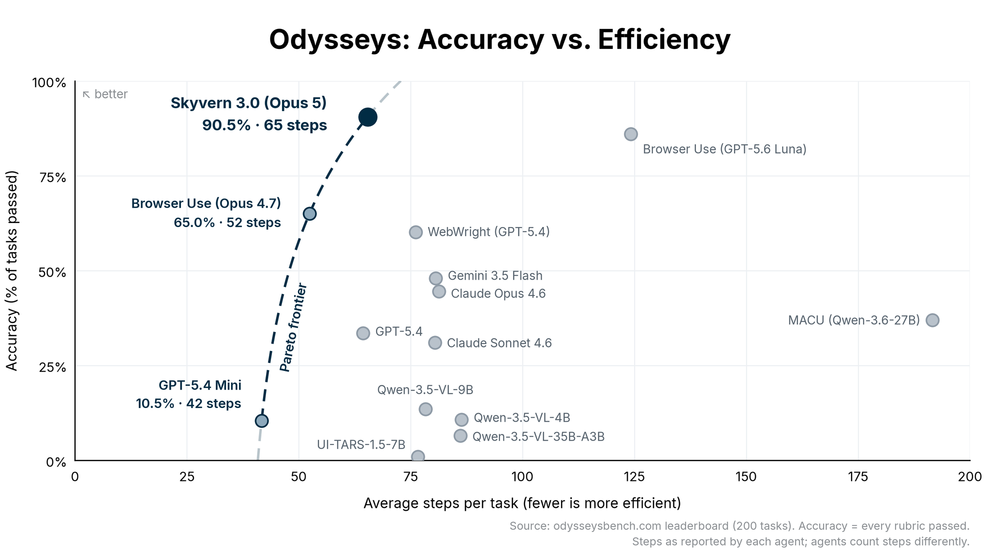
We rewrote Skyvern from scratch using Pi as inspiration, making it 2.3x faster and score 90.5% on Odysseys benchmark.
Rustwright: Playwright rewritten in rust that occupies 70% less memory (and is 2.55x faster)
Hey everyone, Suchintan from Skyvern (YC S23). We run browser automation for AI agents at scale, and we're launching Rustwright: Playwright on an in-process Rust CDP engine. The engine consumes 70% less memory than Playwright, and is 2.55x faster to boot. We built this to improve Skyvern’s memory footprint, and thought this would be independently valuable to the broader community The whole idea fits in two lines: playwright-python: your code ──pipe──► Node driver ──CDP──► Chromium rustwrig
How We Cut Token Count by 11% and Boosted Success Rate by 3.9% Using HTML Instead of JSON in LLM Calls (Updated June 2026)
Every time Skyvern takes an action on a web page, it sends an annotated screenshot plus a structured description of every interactable element to a multimodal LLM: buttons, inputs, dropdowns, the works. That description is where a lot of tokens go. We'd been representing those elements as JSON, which is readable and explicit, but also verbose. After hearing from others in the space that HTML and markdown representations could cut token counts by 15% or more, we decided to test it ourselves. The
Put the browser to work
Use Skyvern for the work that lives in a browser.
Turn repetitive browser tasks into reliable workflows with Skyvern.